
Why you can trust TechRadar
We spend hours testing every product or service we review, so you can be sure you’re buying the best. Find out more about how we test.
Glary Utilities is a system performance optimization tool that aims to be a one-stop solution for improving your PC’s speed and reliability. It can help you diagnose and fix registry errors, remove spyware, and protect your privacy, all with just the click of a button.
In our Glary Utilities review, we evaluate whether it’s one of the best system utilities and repair software for business PCs on the market today.

Plans and pricing
Glary Utilities is available as a free download for non-commercial use. A subscription for Glary Utilities Pro costs $19.97 per year for up to three PCs. There’s a 90-day money-back guarantee.
The free version of Glary Utilities includes most of the features of the Pro version, which only adds scheduled maintenance checks, the erasure of privacy tracks on Windows logoff or shutdown, automatic update checks, and free technical support. But without the Pro version of the software, you can’t turn on the deep clean and fix option that finds even more temporary files to remove.

Features
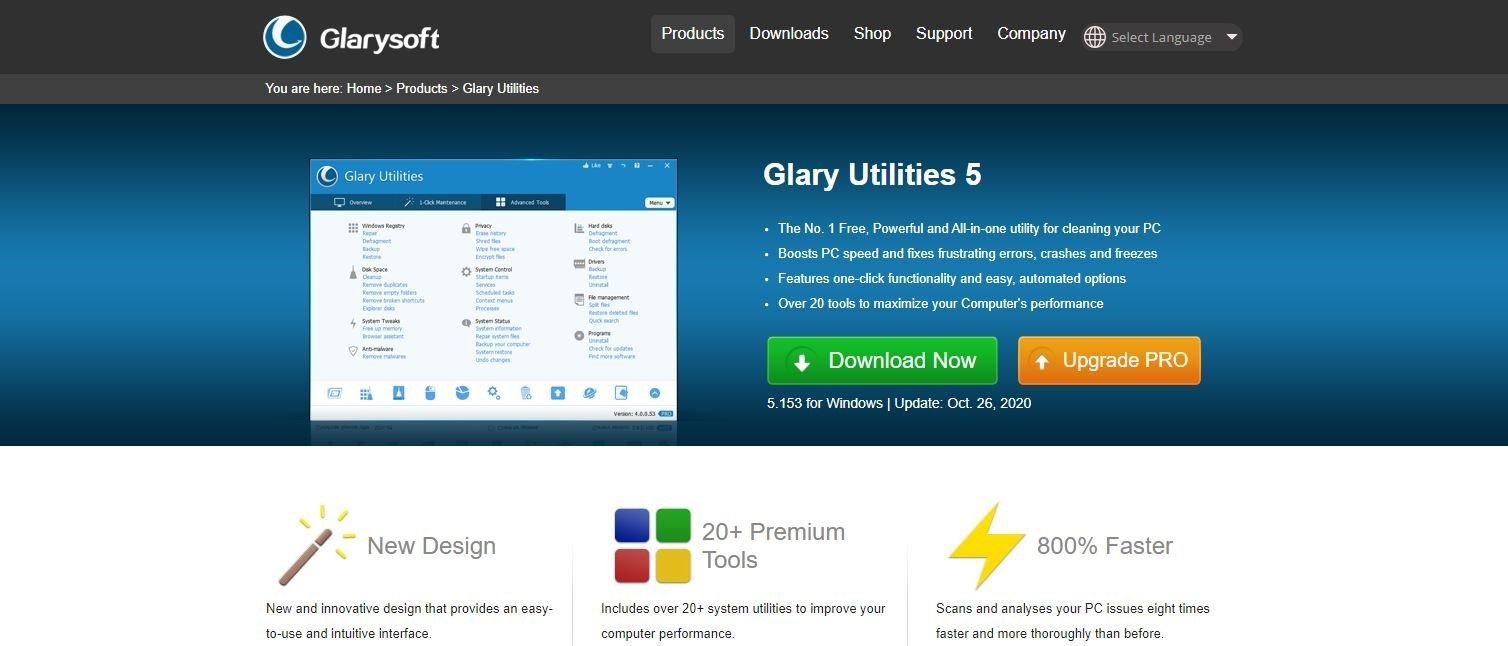
Glary Utilities includes nearly 30 different tools for the maintenance and optimization of your computer.
Like most system optimization tools, Glary Utilities has a button you can click that attempts to fix the most common problems that your computer may have. It has a Registry Cleaner, Shortcuts Fixer, Spyware Remover, Disk Repair, Tracks Eraser, Temporary File Cleaner, and Startup Manager, all rolled into one. If any problems are found, you can browse through them to see what Glary Utilities intends to do when you press Repair Problems.
Glary Utilities is a treasure trove of other useful functions that you never knew you needed. Some tools help you find duplicate files and empty folders, and others let you manage the entries in your system’s context menu and programs on your computer. You can defrag your disks, optimize your RAM, and back up your system drivers. The Software Update tool informs you when new versions of your installed software are available, and there’s a great Disk Space Analyzer tool that will find the pesky files eating up your hard disk space.

Interface and in use
Glary Utilities has a refreshingly simple interface. Many system maintenance and optimization tools have pointless widgets to make it appear as if they’re doing something more impressive than they are. Glary Utilities is all business. It does have basic skinning support, so you can choose the colors and background of the application, but it always looks professional.
The tools, on the whole, work great. The files cleaner found over a gigabyte of temporary files to remove, which is on par with the rest of our testing. The Startup Manager of Glary Utilities is excellent, showing you a breakdown of all the startup programs, scheduled tasks, plugins, application services, and Windows services that might be slowing down the boot time of your computer. It lists how many seconds each item is adding to your load time and details of what the program or task does. Even the Update Manager tool works well, identifying 23 applications on our test computer that could be updated.

Support
Glarysoft has a comprehensive FAQ and Knowledge Base for Glary Utilities. Besides the useful, well-written articles with screenshots, there’s a General Feedback forum for highlighting issues or giving feedback.
You can also email the Glarysoft support team through the website. We received replies to our queries within 12 hours. However, technical support is only officially available for the paid version of the software.
The competition
IObit Advanced SystemCare Free is another comprehensive PC optimization tool. It has a more modern interface, and its one-click Scan found more issues with our test computer than Glary Utilities did. It also has a neat Performance Monitor gadget with metrics on how your PC is performing.
CCleaner Business Edition is a paid system maintenance utility that’s easy to use. It does a particularly good job of cleaning up temporary and redundant files to help speed up Windows. Like Glary Utilities, the paid edition includes the ability to schedule scans in advance or kick in only when it detects that it is needed.
Final verdict
Glary Utilities isn’t as flashy as some other system maintenance and tune-up tools, but once you’ve accustomed yourself to the interface, you realize that it has many useful features that most of its competitors neglect.
It mostly excels at giving you control over what type of scan to perform and what to do with the reports generated. For example, most system tune-up tools include a registry repair feature, but Glary Utilities breaks down the reported problems into groups and describes why the entry has been flagged as an issue, making it easier for you to decide what to do. It’s this extra level of depth that makes Glary Utilities an excellent choice for computer owners who know their way around their PCs and want to carefully manage the changes made by a tune-up app.
Simpler one-click-fixes-all solutions exist, but if you’re willing to spend a little time learning all the tools in Glary Utilities, it’s a Swiss army knife that you’ll find useful time and again.