
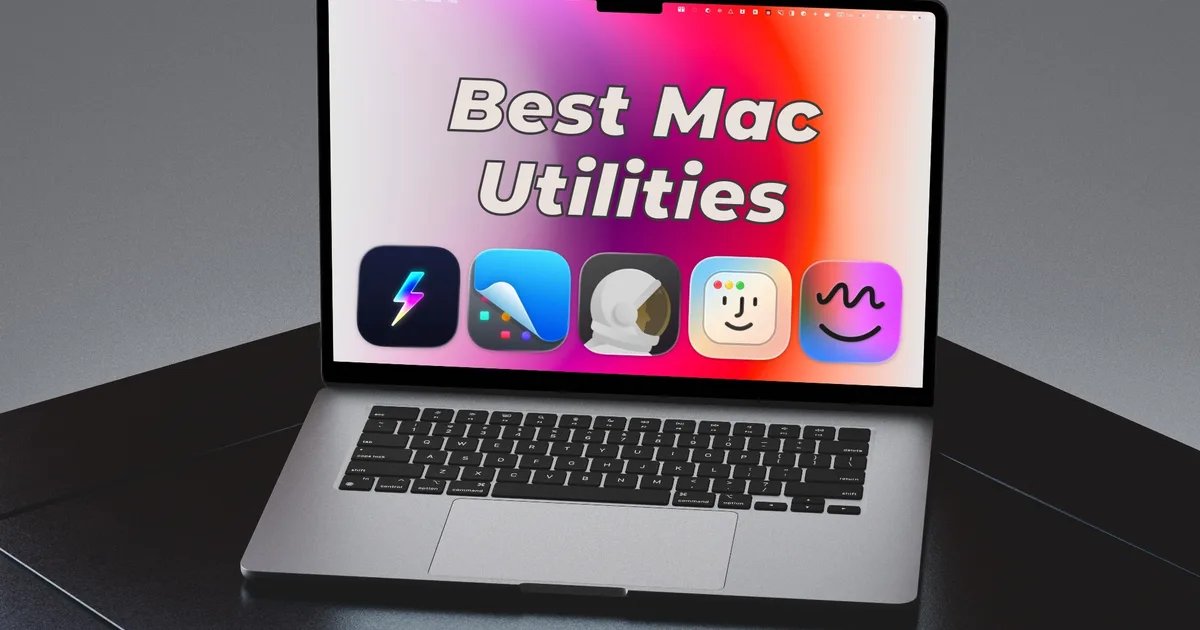
I have been using a Mac for over a decade, and over time, I have found a handful of third-party utilities that I simply cannot work without. Some fix long-standing macOS quirks, some add features that should have been there from the start, and some just enhance your overall macOS experience. Here are my five best Mac utilities I use every day.
Supercharge
macOS is great, but it has its quirks, and Supercharge fixes a surprising number of them. The app packs over 70 tweaks that address small but frustrating pain points that Apple has ignored for years. Once you start using it, you will wonder how you ever managed without it.
My favorite feature is the one-click DMG installer. If you have installed an app that’s not on the Mac App Store, you know the drill: download the DMG file, double-click to open, drag the app to the Applications folder, then manually eject the disk image and delete the installer file. Supercharge collapses all of that into a single click. It installs the app, ejects the disk image, and moves the DMG to the trash, all on its own.

Another feature I use constantly is app-specific keyboard shortcuts. Instead of reaching for Spotlight or hunting through the Dock, I have assigned shortcuts to all my most-used apps and can launch any of them in seconds. Supercharge also lets you use Command+X to cut and paste files like on Windows, a small thing that trips up a lot of switchers.

My two other favorite tweaks are Cat Mode and Cleaning Mode. The former disables the keyboard while the latter turns off the display, allowing you to clean your Mac without triggering unwanted actions.
These are just some of the tweaks Supercharge brings to the table. Supercharge is one of the best Mac utilities I have ever used, and I highly recommend this app to all Mac users.
CleanShot X
The built-in screenshot tool on Mac covers the basics, but if your work depends on capturing screenshots regularly, you owe it to yourself to invest in something better. CleanShot X is that something better, and it is the app I reach for every single day when writing articles.
Beyond the standard full-screen and window captures, CleanShot X lets you take scrolling screenshots of entire web pages or documents, set a timer delay before capturing, record your screen, and even extract text from any image using OCR.

Capturing screenshots is great, but the built-in editor is where it really shines. You can annotate screenshots, draw arrows, add colored backgrounds to make your images look polished, crop and resize, and blur out sensitive information.
A recent update also added the ability to add backgrounds to your screenshots, making them look beautiful. You can add solid colors, gradients, or even use your current Mac wallpaper as a background. If you have read my articles before, you might have seen this in action.

CleanShot X is not cheap compared to the other apps on this list, but the time it saves and the quality it adds to my workflow make it worth every dollar. If you take screenshots for work, this one pays for itself. You can buy it directly from the developer’s website or get it for free as part of a SetApp subscription.
Monocle
Here is a problem most productivity advice does not address: visual clutter. When you have ten windows open on your screen, your brain is constantly processing them all, even when you are only supposed to be focused on one. Monocle solves this in the simplest way possible.

The app blurs everything on your screen except the active window. The moment you click into an app, everything else fades into the background. It sounds like a small thing, but the difference in focus is noticeable almost immediately.
You can also customize the blur intensity, add a film grain effect if you like that aesthetic, and adjust how quickly the fade animation happens. It also supports light and dark themes and can match your system’s appearance.

If you find yourself getting distracted by other open windows while trying to work, you should try it.
Hyperkey
Hyperkey is probably the most used utility on my Mac. I love keyboard shortcuts, but not the finger gymnastics that comes with using them. Hyperkey solves this issue by allowing you to map a combination of keyboard modifiers to a single key, which, in my case, is the Caps Lock key.

When I press Caps Lock on my Mac, it inputs it as all four modifier keys pressed at once: Control (⌃), Option (⌥), Command (⌘), and Shift (⇧). This gives you access to an entirely new layer of keyboard shortcuts that will not conflict with any existing system or app shortcuts.
You can assign these Hyper key combinations to anything you want. It is free, lightweight, and it runs quietly in the background without ever getting in the way. Once you add Hyperkey shortcuts into your workflow, going back to a keyboard without them feels genuinely limiting.
DockDoor
macOS app switcher works well, but it’s not as good as what you get with a Windows computer. It only shows a list of open apps and doesn’t show all active windows. Yes, you can use the Command + backtick (⌘`) keyboard shortcut to switch between open windows of the same app, but it doesn’t show a preview, and doesn’t work well if your app has windows in multiple spaces.
DockDoor solves this issue. It gives you a Windows-esque app switcher that shows all open windows, allowing you to clearly see a preview and switch to the app you want. The window switcher with live previews is far more useful than the default Command+Tab behavior when you have many windows open.

When you hover over any icon in your Mac’s Dock, DockDoor shows you live thumbnails of every open window for that app. From those previews, you can switch to a window, close it, minimize it, or drag it somewhere else.
There’s also a Cmd+Tab enhancement that shows app windows in the native macOS app switcher. However, I found that feature to be buggy and prefer using the Option+Tab keyboard shortcut, which mimics the Alt+Tab behavior of Windows PCs.

It is the kind of feature that should have shipped with macOS years ago. Install it once, and you will never want to use a Mac without it again.